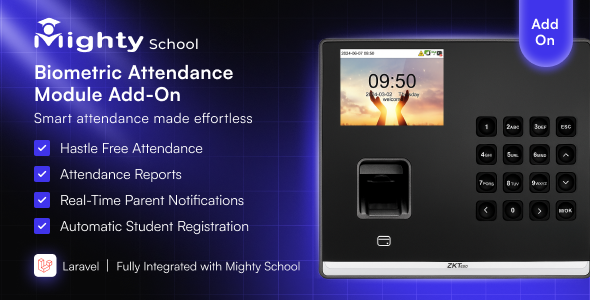
Automate biometric attendance for Mighty School using ZKTeco devices.
No manual entry. No CSV upload. Attendance syncs automatically from your ZKTeco device directly into Mighty School.
Demo Login
URL: https://bio-attendance.codenichebd.com
Admin Email: admin@gmail.com
Password: 12345678
Note: This addon requires the main Mighty School – All-in-One School Management System. It cannot run as a standalone script.
✨ Key Features
- Seamless ZKTeco device integration (UFace, MB, iClock, K-Series, SilkBio, etc.)
- Real-time attendance sync or scheduled syncing using cron jobs
- Unlimited devices supported
- Automatic mapping of biometric IDs to students & teachers
- Auto-generate Present, Late, Entry & Exit logs
- Multi-shift & multi-session support
- Attendance instantly visible in Admin, Teacher & Student apps
- Online/Offline device status monitoring
- “Sync Now” manual button + background sync queue
- Duplicate log prevention
- Full error handling & device connection testing
- Secure TCP/IP communication (LAN / WiFi)
How It Works
- Connect your ZKTeco device to your school network
- Add device details (IP, Port, Model) inside Mighty School
- Map biometric IDs with student/teacher profiles
- Enable Auto Sync (Cron)
- Attendance becomes fully automated
Supported ZKTeco Devices
- UFace Series (UFace 402, 602, etc.)
- iClock Series (iClock 680, 560, etc.)
- K Series (K40, K50, K60)
- MB Series (MB360, MB460)
- SilkBio Series
- IN Series
- Face/FP devices supporting TCP/IP (Port 4370)
Dashboard & Device Management
- Attendance log history
- Last sync time display
- Total punches, skipped logs & error logs
- Device online/offline detection
- Button to fetch logs instantly
What’s Included
- Complete ZKTeco Attendance Addon Module
- Laravel API endpoints
- Device manager UI
- Cron automation tool
- SQL migration files
- Documentation & installation guide
️ Installation Guide
After downloading, extract the ZIP file and move the project folder into your local server directory:
- XAMPP: htdocs/
- WAMP: www/
- Laragon: www/
Example Path:
C:/xampp/htdocs/ZktecoAttendance/
Why Choose This Addon?
- Extremely stable & production-tested
- No core file modification (safe to update)
- Perfect for schools with thousands of students
- Fast, lightweight & optimized for performance
- Lifetime free updates
❓ FAQ
Does it work without a biometric device?
No. A ZKTeco device is required.
Is it compatible with all ZKTeco devices?
Yes, all devices that support TCP/IP communication (Port 4370) are supported.
Does it modify Mighty School core files?
No. It is fully modular and safe.

 Recently Updated


Reviews
There are no reviews yet.